Document & Metadata
This level defines the document itself, not the visible content. Tags like <!DOCTYPE html>, <html>, and <head> tell the browser what kind of document this is and provide metadata such as the title, character encoding, viewport settings, SEO description, and links to stylesheets or scripts (<title>, <meta>, <link>, <style>, <script>, <base>). The <body> then acts as the container where all renderable content lives, but it’s still more of a global wrapper than a semantic “section” like main or article.
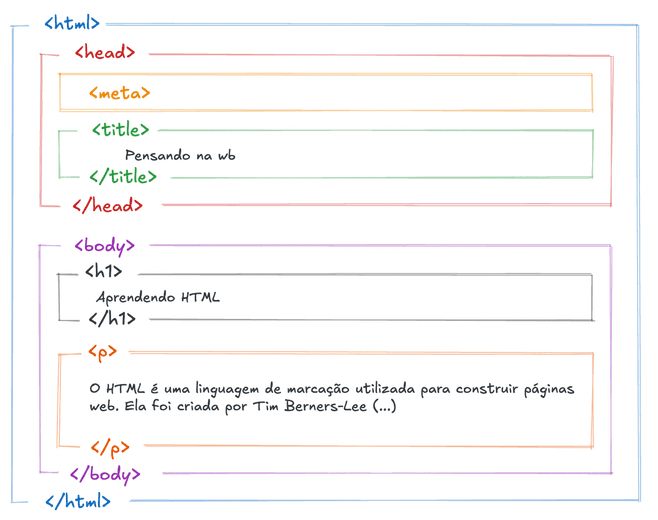
Document container & type
These tags define what the document is and create the global container that wraps everything. The <!DOCTYPE html> tells the browser to use modern HTML standards mode. The <html> element is the root of the tree, and <head> is where you place information about the page (metadata), not the visible interface itself.
<!DOCTYPE html> – document type
<html> – root element of the document
<head> – information about the document (not visible content)
Metadata & global resources
These tags live inside <head> and configure how the page behaves, looks in the browser tab, appears in search results, and loads external assets. They don’t show up as UI, but they control crucial aspects such as SEO, responsiveness, icons, fonts, styles, scripts, and the default base URL for relative links.
<title> – page title (browser tab, bookmarks)
<meta> – metadata (charset, viewport, SEO description, etc.)
<link> – external resources (CSS, icons, fonts)
<style> – internal CSS
<script> – JavaScript (when placed in the head)
<base> – base URL for relative links